

Sending a file to someone sounds trivial. In practice, you end up choosing between pasting a link, emailing an attachment, or explaining how to install something. The ecosystem of file transfer tools has quietly split into two camps: upload to cloud, share link and direct peer-to-peer. Neither is universally better. They have genuinely different tradeoffs, and the right choice depends entirely on your situation.
This post compares Zenden, WeTransfer, Dropbox Transfer, and Send Anywhere — four tools that represent both camps — without declaring a winner.
Key takeaways
- WeTransfer uploads files to its servers so the recipient can download at any time, even after you close your laptop. That convenience is its biggest strength.
- Zenden is P2P: files never leave your machine, but you must stay online while the recipient downloads. That tradeoff is real and worth understanding before you choose it.
- Dropbox Transfer is a natural fit if your files are already in Dropbox. The free cap (100 MB) limits its usefulness for large transfers.
- Send Anywhere uses a hybrid model: P2P when both devices are nearby, cloud relay otherwise. Practical and account-free.
- The right tool depends on your specific transfer: who the recipient is, whether you will be online, how sensitive the data is, and whether a subscription makes sense for your volume.
WeTransfer
WeTransfer is the default recommendation most people reach for when they need to send a large file, and for good reason. The service is polished, the recipient experience is near-frictionless, and it has been reliable since 2009. Upload a file, copy the link, send it. The recipient clicks, downloads, done — no account, no app, no explanation needed.
The design philosophy is deliberately asynchronous: you upload, walk away, and the file is waiting whenever the recipient gets around to it. Free transfers stay live for seven days and support up to 2 GB per send. That window is long enough for almost every practical use case. If you need more — longer expiry, custom branding, higher caps, folder sends — WeTransfer Plus and Pro start at around $12–19 per month.
The relevant consideration for privacy-conscious transfers is that your files sit on WeTransfer's servers for the duration of that window. The company has a reasonable privacy policy and an established track record, but the data does pass through and reside on infrastructure you don't control. For most files — design assets, documents, video drafts — that's a perfectly acceptable tradeoff. For files that are genuinely sensitive, it's worth thinking about.
The mobile experience is also notably good. WeTransfer's iOS app makes it easy to send directly from your phone, something that P2P tools can't match for sender-side convenience today.
Dropbox Transfer
Dropbox Transfer is the right tool when your content is already in Dropbox and you need a clean, branded download page for a recipient. You create a transfer link from within Dropbox, and the recipient gets a preview page with a download button — no account required on their side.
The catch is the free tier: 100 MB per transfer. For anything larger, you need a Dropbox Plus or Professional plan. If you're already paying for Dropbox, that's a non-issue. If you're not, it's a restrictive ceiling. The sender must have a Dropbox account.
For creative professionals who already live in Dropbox and regularly deliver work to clients, this is a natural choice. For everyone else, the account requirement and the low free cap make it a harder sell.
Send Anywhere
Send Anywhere takes an interesting hybrid approach. On the same network — or in the same room — it establishes a direct P2P connection identified by a 6-digit code. No account, no link, no waiting for an upload. For the specific scenario of transferring a file between your own devices, or to someone sitting next to you, this is fast and simple.
For cross-network transfers, Send Anywhere falls back to a cloud relay: you generate a link or a longer code, and the file is temporarily hosted on Estmob's servers for 24 or 48 hours depending on your plan. The free tier covers this. A paid plan ($7.99/month) extends expiry and raises limits.
The across-all-platforms support is genuinely broad: macOS, Windows, Linux, iOS, Android, and a web interface. If you need to move files between operating systems where a native P2P app isn't available, Send Anywhere is worth considering.
A note on Firefox Send
Firefox Send was the gold standard for ephemeral encrypted file transfer: client-side encryption, link expiry by time or number of downloads, no account required. Mozilla shut it down in August 2020 after sustained abuse — bad actors were using the client-side encryption to distribute malware that evaded server-side scanning. The service proved that the model works; it also surfaced a real challenge for any tool that promises not to see the content of what it hosts. The ecosystem still has not fully replaced it.
How Zenden differs
Zenden is built on a different premise: the file never leaves your machine at all.
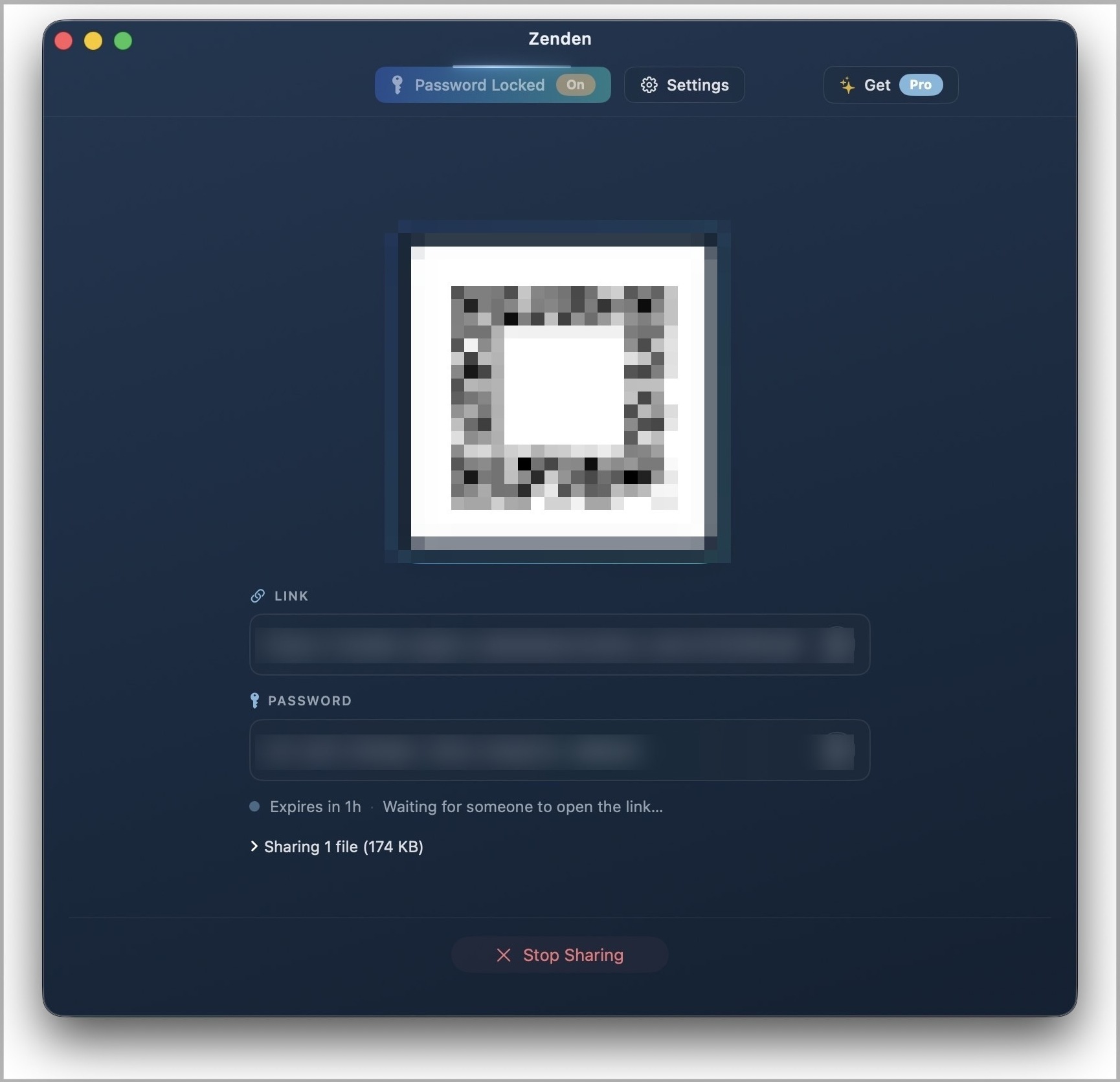
When you initiate a transfer, Zenden establishes a direct WebRTC DataChannel between your computer and your recipient's browser or Zenden app. The content travels over that connection, end-to-end encrypted, and is never stored anywhere in between. No intermediate server holds a copy. When the session ends, the transfer is over — there is nothing to expire, nothing to delete, no link to rotate.
The design is deliberately ephemeral. Free sessions last one hour. Pro sessions last up to seven days, meaning the session window stays open — but your machine still needs to be reachable for the download to proceed. That brings us to the tradeoff that matters most.
Sender must stay online. This is the most important thing to understand about Zenden. Because there is no cloud relay, the recipient can only download while your computer is connected and the app is running. If you close your laptop or the app before they download, the transfer fails. This is fundamentally different from WeTransfer, where you upload once and the cloud handles the rest.
For some workflows, this is fine — even preferable. You are in control of when access is available, and you can revoke it by simply closing the app. For workflows where you need fire-and-forget convenience, it is a real limitation.
When WeTransfer is the right tool
WeTransfer is the right choice when you need to send to someone and won't be at your computer when they download. It's the right choice when you're sending from your phone. It's the right choice when you need a link that stays live for a week — for a client to collect assets at their convenience, or for a collaborator in a different timezone. And it's the right choice when your recipient is non-technical and needs a click-and-download experience with no friction and no explanation. These are real use cases, and WeTransfer handles them excellently.
Picking the right tool
The decision comes down to two questions: Who controls the transfer window? and Where does the file live during that window?
If you want to hand off a file and not think about it again — if the recipient needs to download it tomorrow morning and you'll be asleep — cloud relay is the right model. WeTransfer is the most refined version of that model and is free for most everyday transfers.
If your priority is that the file never leaves your machine at any point during the transfer — not buffered on a server, not logged anywhere between you and the recipient — then P2P is the right model. Zenden is built specifically for that case. You're trading the asynchronous convenience of cloud relay for a stronger privacy guarantee and a one-time price rather than a monthly subscription.
Most people will want both at different times, and there's no reason to pick just one. The tools are free to try, and the right answer usually becomes obvious once you look at the specific transfer you're trying to make. If the P2P model sounds right for you, try Zenden — it is free to download.

