

Updated July 2026: WeTransfer figures refreshed after their December 2024 plan restructure.
Sending a file to someone sounds trivial. In practice, you end up choosing between pasting a link, emailing an attachment, or explaining how to install something. The ecosystem of file transfer tools has quietly split into two camps: upload to cloud, share link and direct peer-to-peer. Neither is universally better.
This post covers six tools that represent the full range: WeTransfer, Dropbox Transfer, Send Anywhere, Wormhole, Perkoon, and Zenden. No forced winner — just the tradeoffs that actually matter.
If you came here specifically looking to replace WeTransfer, we also keep a focused write-up on what changed in WeTransfer's free plan and what a private alternative looks like.
Key takeaways
- WeTransfer uploads your file to its servers so the recipient can download at any time, even after you close your laptop. Free plan: 10 transfers or 3 GB total per rolling 30-day window — whichever comes first — with a 3 GB cap per transfer (as of July 2026).
- Dropbox Transfer is the right tool if your files are already in Dropbox. The free tier cap is very low — paid plan required for anything meaningful. Sender must have a Dropbox account.
- Send Anywhere uses a hybrid model: direct transfer via 6-digit code when devices are nearby, cloud relay otherwise. No account required. Paid plans run around $6–10/mo (verify current pricing).
- Wormhole is browser-only with genuine end-to-end encryption (AES-128-GCM). Up to 10 GB, 24-hour link expiry, completely free. No native apps.
- Perkoon is browser P2P — the closest browser-based equivalent to Zenden. Unlimited free P2P, no size cap, no registration. Best on Chrome, Edge, Brave; Firefox and Safari have browser-level restrictions.
- Zenden runs as a native desktop app on macOS, Windows, and Linux. Files never leave your machine on Free. The tradeoff: the sender must stay online while the recipient downloads.
WeTransfer
WeTransfer is the default recommendation most people reach for when they need to send a large file, and for good reason. The service is polished, the recipient experience is near-frictionless, and it has been reliable since 2009. Upload a file, copy the link, send it. The recipient clicks, downloads, done — no account, no app, no explanation needed.
The design philosophy is deliberately asynchronous: you upload, walk away, and the file is waiting whenever the recipient gets around to it. The free plan tightened significantly in WeTransfer's December 2024 restructure (which also retired the old Pro and Premium plans, folding them into Ultimate): you now get 10 transfers or 3 GB total per rolling 30-day window — whichever runs out first — with a maximum of 3 GB per transfer and links that expire within 3 days. That total-volume cap is the detail most people miss: one 3 GB send can use up your whole month. If you need more, Starter (10 transfers or 300 GB per 30-day window) starts at $8–10/month depending on billing cycle, and Ultimate (unlimited transfers, up to 1 TB each, custom expiration, password protection, branded pages) runs around $23–25/month (USD, as of July 2026). Prices vary by region; check WeTransfer's site for current figures.
The relevant consideration for privacy-conscious transfers is the architectural model: your files are uploaded to WeTransfer's servers and stored there until the recipient downloads. The company has a reasonable privacy policy and a long track record, but the data does pass through and reside on infrastructure you don't control. For most files — design assets, documents, video drafts — that's a perfectly acceptable tradeoff. For files that are genuinely sensitive, it's worth thinking about.
When WeTransfer is the right tool
WeTransfer is the right choice when you need to send to someone and won't be at your computer when they download. It's the right choice when you're sending from your phone. It's the right choice when you need a link that stays live for several days — for a client to collect assets at their convenience, or for a collaborator in a different timezone. And it's the right choice when your recipient is non-technical and needs a click-and-download experience with no friction and no explanation. These are real use cases, and WeTransfer handles them well.
Dropbox Transfer
Dropbox Transfer is the right tool when your content is already in Dropbox and you need a clean, branded download page for a recipient. You create a transfer link from within Dropbox, and the recipient gets a preview page with a download button — no account required on their side.
The catch is the free tier: the free tier limits transfer size — the exact cap wasn't consistently stated across Dropbox's help docs at the time of writing, but it's low enough that paid Dropbox plans (Plus at around €10/mo, Professional at around €17/mo) are required for anything significant. Prices captured in EUR; may vary by region. The sender must have a Dropbox account.
For creative professionals who already live in Dropbox and regularly deliver work to clients, this is a natural choice. For everyone else, the account requirement and the low free cap make it a harder sell.
Send Anywhere
Send Anywhere takes an interesting hybrid approach. It can establish a direct transfer using a 6-digit code when both devices are nearby — no account, no link, no waiting for an upload. For the specific scenario of transferring a file between your own devices, or to someone sitting next to you, this is fast and simple.
For cross-network transfers, Send Anywhere falls back to a cloud relay: you generate a link or a longer code, and the file is temporarily hosted on Estmob's servers. The free tier covers this. Paid plans add extended expiry and higher limits — pricing is around $6–10/mo depending on plan (verify current pricing on their site).
The across-all-platforms support is genuinely broad: macOS, Windows, Linux, iOS, Android, and a web interface. If you need to move files between operating systems where a native P2P app isn't available, Send Anywhere is worth considering.
Wormhole
Wormhole is a browser-based tool with a stronger privacy story than most cloud-relay services. The sender and recipient both use a browser — there are no official native desktop apps. (Some apps branded "Wormhole" exist on app stores, but they are not the official wormhole.app product.)
The encryption model is genuinely strong: end-to-end encrypted using AES-128-GCM, with files encrypted in the browser before any upload begins. For transfers up to 5 GB, the encrypted file passes through Wormhole's servers and is automatically deleted after 24 hours. For transfers larger than 5 GB, Wormhole switches to P2P — the sender's browser tab must remain open for the recipient to download. The cap per transfer is 10 GB.
The 24-hour link expiry is real and enforced. That's not a limitation for most use cases, but it rules out "send today, they'll download next week" workflows.
Wormhole is completely free. A paid tier is on the roadmap but was not available at the time of writing. (Source: wormhole.app/faq.)
Perkoon
Perkoon is the closest browser-based equivalent to Zenden. Like Zenden, it transfers files directly between peers over WebRTC — nothing is stored on Perkoon's servers during a P2P transfer. Unlike Zenden, it runs entirely in a browser tab with no native desktop app.
The browser dependency has real consequences. Perkoon works best on Chrome, Edge, and Brave; Firefox and Safari have browser-level restrictions that affect WebRTC — a limitation Perkoon acknowledges on their own site. This is not a Perkoon implementation problem; it's a constraint imposed by those browsers' WebRTC stacks.
The free P2P tier is genuinely unlimited: no size cap, no registration required, 2 simultaneous users. Perkoon also has an unusual pair of features for a consumer file tool: a CLI (npx perkoon send/receive) and an automation API. If you need scripted or agent-driven file transfers, that's worth noting.
Cloud tiers are available for cases where both parties don't need to be online simultaneously (EUR pricing): €0.99 for a one-time 20 GB / 1-day transfer, €4.99/mo for 100 GB, €9.99/mo for 500 GB, €19.99/mo for 2 TB. Prices from perkoon.com/pricing; verify current figures before purchasing.
The honest Perkoon-vs-Zenden comparison: both offer unlimited free P2P. The key differentiator is native desktop apps versus browser tab. Zenden is a native macOS app (Swift), and native Windows and Linux apps (Tauri). Perkoon runs in a browser. That distinction matters in a few ways: native apps integrate with OS drag-and-drop, the menu bar, and the file system without sandboxing constraints; browser tabs are subject to background throttling, browser-specific WebRTC limitations, and platform-level sandboxing; and Zenden works without opening a browser at all. Perkoon's browser approach has its own advantage — zero install for any party who just wants to send a file from whatever machine they're on.
How Zenden differs
Zenden is built on a different premise: the file never leaves your machine at all.
When you initiate a transfer, Zenden establishes a direct WebRTC DataChannel between your computer and your recipient's browser or Zenden app. The content travels over that connection, end-to-end encrypted, and is never stored anywhere in between. No intermediate server holds a copy. When the session ends, the transfer is over — there is nothing to expire, nothing to delete, no link to rotate.
The design is deliberately ephemeral. Sessions last up to seven days — but your machine still needs to be reachable for the download to proceed. On Free, NAT traversal uses STUN: most home and office networks handle this without issue. Pro adds TURN relay, which routes the connection through Zenden's relay infrastructure when a direct P2P path cannot be established (up to 100 GB/month of relayed traffic; P2P transfers don't consume the quota).
Sender must stay online on Free. This is the most important thing to understand about Zenden. Because there is no cloud relay, the recipient can only download while your computer is connected and the app is running. If you close your laptop or quit the app before they download, the transfer fails. This is fundamentally different from WeTransfer, where you upload once and the cloud handles the rest. It is also different from Perkoon's cloud tiers — Zenden Free is fully peer-to-peer with no cloud fallback.
For some workflows, this is fine — even preferable. You are in control of when access is available, and you can revoke it by simply closing the app. For workflows where you need fire-and-forget convenience, Pro's Cloud Link (shipped in Zenden 2.2) covers it: the file is encrypted on your machine, only the ciphertext is uploaded, and recipients have 48 hours to download after you go offline.
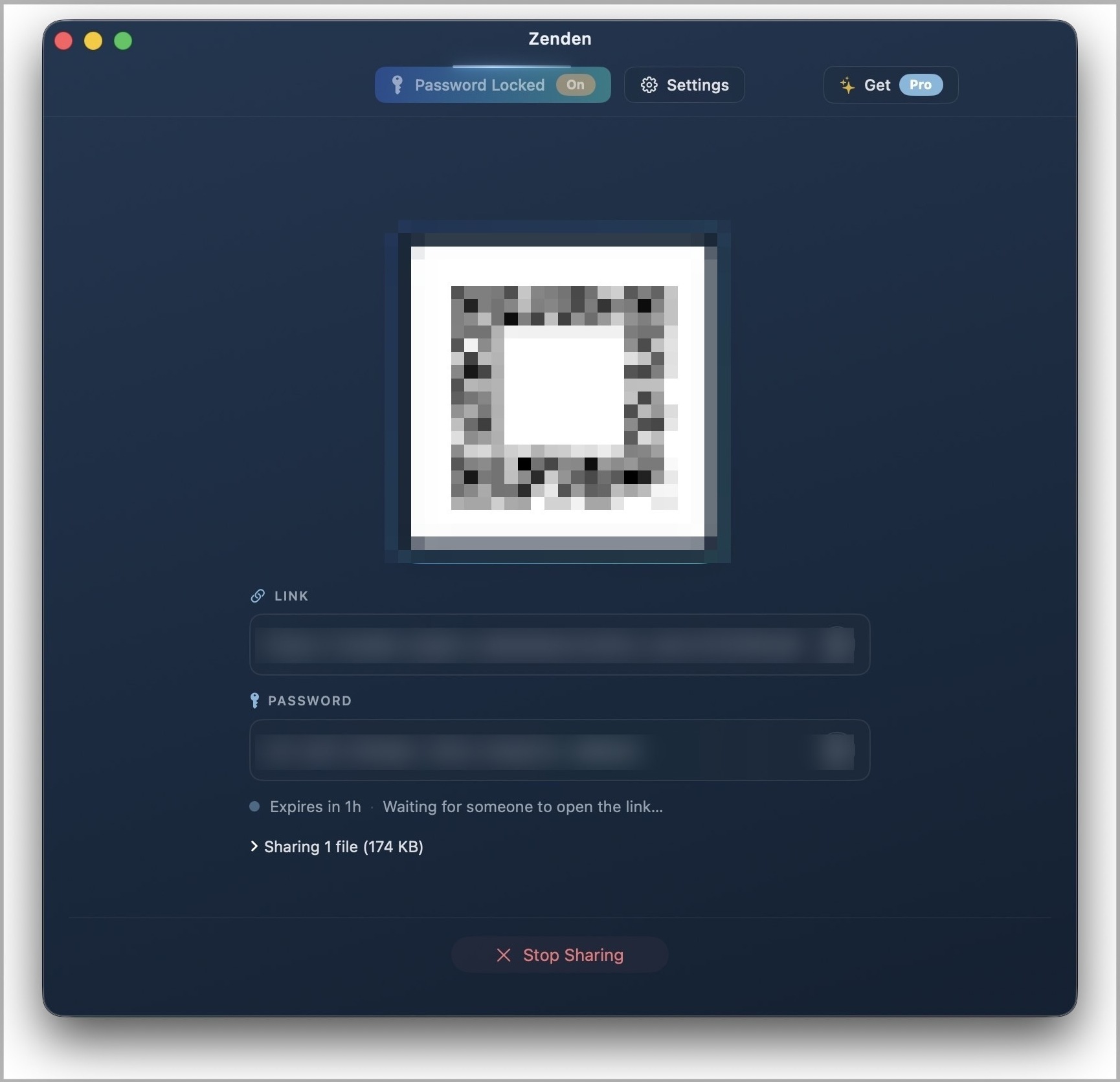

Zenden
Direct, private file transfer. No accounts. Encrypted end to end.
Who Zenden is for
- You transfer files regularly and want nothing stored anywhere in between — not on a server, not in a relay buffer, not anywhere you don't control.
- You're on a Mac, Windows PC, or Linux machine. Native apps are available for all three.
- You want control: access is live only while your app is running. You can revoke it instantly by closing Zenden.
- You don't want accounts, tracking, or subscription pressure. Zenden Free requires no account and handles direct transfers with no caps and no expiry beyond the session.
- You're transferring to someone who's online and ready to download, or within a 7-day session window.
Who Pro is for
The most common reason to choose Pro is a restrictive network. Mobile hotspots, carrier-grade NAT, iCloud Private Relay, and certain VPN configurations can all prevent a direct P2P connection. Pro's TURN relay solves this — the file is routed through Zenden's relay servers for those connections that can't go direct. The relay quota is 100 GB/month; P2P transfers (the majority, on typical networks) don't count against it.
Most users will never need Pro. If you're on a typical home or office network with a stable internet connection, Zenden Free handles everything. Pro is the network insurance policy for the minority of setups where direct P2P can't establish. Not a feature gate.
Cloud Link — where the recipient can download after you've closed the app — shipped in Zenden 2.2 as part of Pro: 48-hour encrypted links, single files up to 4.5 GiB, 10 GB of active encrypted storage.
Picking the right tool
The decision comes down to two questions: who controls the transfer window? and where does the file live during that window?
If you want to hand off a file and not think about it again — if the recipient needs to download it tomorrow morning and you'll be asleep — cloud relay is the right model. WeTransfer is the most refined version of that model and is free for most everyday transfers.
If you want E2E encryption and fire-and-forget simplicity within a 24-hour window, Wormhole is worth a look. It's browser-only, but the encryption model is genuinely strong.
If you want P2P with no install at all — nothing for sender or recipient to download — Perkoon is the browser-based answer. Just be aware of the Chrome/Edge/Brave caveat, and note that the sender's browser tab needs to stay open just like Zenden's app.
If your priority is that the file never leaves your machine at any point during the transfer — not buffered on a server, not logged anywhere between you and the recipient — then P2P with a native app is the right model. Zenden is built specifically for that case. You're trading the asynchronous convenience of cloud relay for a stronger privacy guarantee and tighter control.
Most people will want different tools for different situations. If direct, private transfer from a native app sounds right for your workflow, Zenden is free to download.
Zenden
Direct, private file transfer. No accounts. Encrypted end to end.
Zenden
Direct, private file transfer. No accounts. Encrypted end to end.